Just Dance 2016-22 Controller
Ubisoft EntertainmentMusic
3.56.87K Reviews
- Version
- 8.2.1
- Installs
- 10.00M
- Age Rating
- Everyone
Screenshots
Our Review of Just Dance 2016-22 Controller
 Analysis by Appyee
Turning a phone into a motion controller sounds simple, but the real test is whether it disappears from your attention once the music starts. After using Just Dance 2016-22 Controller alongside the Just Dance experience, I found that its best quality is exactly that: it keeps the phone in the background so the dancing can take center stage. It is a free music game companion from Ubisoft Entertainment, designed for people who want to play Just Dance without holding a traditional game controller.
That makes it a very different kind of mobile app. You are not really playing a complete dance game on the phone screen. Instead, the phone acts as the input device while the main dance action happens elsewhere. Understanding that relationship is important before installing it, because this is useful when you already have access to the compatible Just Dance game experience, but it is not a replacement for a standalone rhythm game on iOS or Android.
My first impression: a controller that gets out of the way
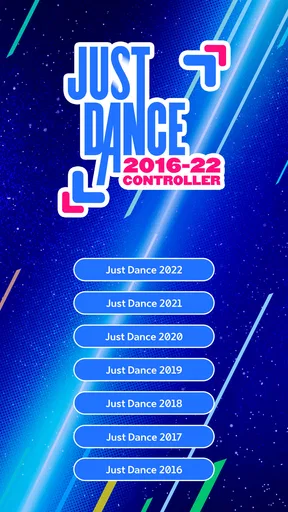
The first thing I noticed is how little visual information the companion needs to present. A conventional game app usually asks me to study menus, icons, maps, scores, or touch controls. This one has a much narrower job: connect the phone to the dance session and let me move. That focused approach is welcome, especially when several people are preparing to play and nobody wants to spend time learning another complicated interface.
The setup is most comfortable when the phone is already charged, the game display is ready, and everyone understands that the handset needs to stay in the dancing hand. I would prepare the room before starting rather than troubleshoot while music is playing. A small amount of planning makes a noticeable difference, because the fun depends more on keeping the session flowing than on exploring the controller app itself.
In everyday use, I can imagine opening it during a casual evening with friends, placing the main game on a television, and passing phones around as people join. The phone becomes a personal controller rather than a shared object. That is a practical advantage over a single traditional controller, particularly when several people want to participate without waiting for a turn.
The audience is broad. The content rating is Everyone, and the straightforward purpose makes it approachable for families, casual players, and people who would not normally call themselves gamers. I would still leave enough clear floor space for movement and keep the phone firmly in hand. The app itself may be simple, but the physical activity around it deserves the same common sense as any living-room exercise session.
Its long presence also explains why the app feels like a utility built around an established series rather than a fresh mobile release. It first appeared on October 24, 2014, and the current version is 8.2.1. The minimum operating system is Android 8.0, so anyone using an older Android device should check compatibility before planning a group session. On supported hardware, the important question is not whether the phone can render impressive graphics; it is whether it can remain a dependable controller while the music and visuals run on the main screen.
The visual language belongs to the dance floor
Because the phone is not the main display, its visual role is deliberately modest. The artistic identity comes from the Just Dance presentation around it: bright performance imagery, recognizable choreography, and a playful sense of movement. The controller app supports that mood by avoiding visual clutter. I do not feel pulled into a separate mobile world that competes with the dancers on the television.
That separation is one of the smartest design choices here. A phone screen is too small to carry the full spectacle of a dance game for a group, while a television or larger display can turn the room into a shared stage. The handset then works almost like a prop: useful in the hand, but visually unimportant once the song begins. The result is more social than a typical touchscreen rhythm game, where everyone tends to look down at their own device.
The setting is therefore created by the room, the screen, and the people playing together. A darkened living room can make the colorful choreography feel more event-like, while a bright family room keeps everything casual and accessible. I like that the app does not require me to build a character, manage a virtual venue, or maintain a separate progression space on the phone. Its world language is performance rather than collection.
There is a trade-off, though. If you are looking for rich mobile art direction, animated menus, or a self-contained visual journey, this controller will feel thin. Its design succeeds because it supports another screen. Used alone, it offers little of the visual identity that makes a full music game satisfying. That is not a flaw in its intended role, but it is a reason not to confuse the companion with the main game.
I also found that the physical environment becomes part of the interface. The distance between players and the main display, the amount of room available, and whether people can comfortably see the choreography all affect the experience. A phone controller cannot solve a badly arranged room. Before starting, I would place the display where everyone can see it, remove anything easy to trip over, and avoid putting the phone in a case or grip that makes it awkward to hold securely.
Sound gives the app its purpose
The controller does not need to produce the musical experience itself. Its purpose is to let my movements accompany the songs and visual cues coming from the main Just Dance game. That division keeps attention where it belongs: on the beat, the dancers, and the next move rather than on tapping a small screen.
This is where the app differs most clearly from ordinary mobile rhythm games. In a touch-based title, I usually respond to notes, lanes, or prompts with my fingers. Here, the sound becomes a timing guide for my whole body. The music is not background decoration; it sets the pace of the room and determines whether the controller feels responsive in practice.
A useful habit is to begin with a song that everyone knows rather than the most demanding routine. Familiar music reduces the mental load of learning both the choreography and the controller relationship. Once the group understands how the session feels, faster or less familiar songs become easier to enjoy. This small progression makes the experience more welcoming than immediately choosing a difficult routine and blaming the phone when the room falls out of sync.
The sound also creates a social rhythm. People laugh when someone exaggerates a move, recover together after missing a sequence, and often become more confident after watching another player commit fully. A standard mobile rhythm game can be excellent for focused solo play, but it rarely creates the same shared physical energy. This controller is strongest when the music is loud enough for the room, the display is visible, and nobody is treating the session like a private score attack.
There is an important limitation: the controller cannot improve poor audio or a badly positioned display. If the music is hard to hear, timing becomes less natural. If the screen is too far away, watching the choreography becomes tiring. I would solve those room-level problems first rather than expecting the app to compensate. The experience is built around audiovisual coordination, so the surrounding setup matters almost as much as the handset.
How the mechanics fit real group play
Mechanically, the appeal is immediate. Holding a phone gives the system a physical object to track while I dance, without asking me to buy or locate a dedicated motion controller. That lowers the barrier for an occasional session. The app is free, and its store summary describes the essential idea accurately: the phone becomes a controller for playing Just Dance.
The clever part is not complexity but distribution. Each participant can use a personal handset instead of passing one controller around. That makes the game more practical for a family gathering or a group of friends who arrive with their own devices. It also means the controller does not need to dominate the screen with instructions. The main game remains the source of the choreography, while the phone handles the physical input.
My strongest practical tip is to treat the phone as something that must be held consistently. Switching hands halfway through a routine, gripping it loosely, or waving it in a way that feels theatrical but loses control can make the session less comfortable. I would use the hand that feels natural, keep a firm but relaxed grip, and avoid putting the device somewhere I might drop it during a large movement.
Another useful workflow is to test the connection before inviting everyone onto the floor. Start with one phone, confirm that the session recognizes it, and only then add the rest of the group. This avoids the awkward situation where several people are already dancing while somebody searches for the correct connection step. It also makes it easier to identify whether a problem comes from one handset or from the broader setup.
The app is a good fit for people who want low preparation and high participation. It is less suitable for someone seeking a deep solo game on a phone. If your preferred rhythm experience involves tapping precise notes during a commute, collecting content through a mobile interface, or playing without a television or external display, a dedicated mobile rhythm title is a better choice. This controller is valuable precisely because it supports a larger, more physical format.
It also helps to set expectations about precision. Dancing with a phone is expressive and energetic, but it is not the same as using a specialized motion accessory designed around one console. The convenience is the point, and convenience comes with compromises in grip, comfort, and consistency. For a relaxed party, that trade-off is easy to accept. For someone who wants the most controlled competitive setup possible, it may be frustrating.
The app’s audience size suggests that this approach has broad appeal: it has passed ten million installs and holds an average rating of 3.5 from roughly one hundred eleven thousand ratings. I read that as a sign of a useful but situational tool. Many people can understand the idea quickly, yet satisfaction depends heavily on the quality of the surrounding Just Dance setup, the phone being used, and whether the player actually wants a physical group activity.
Who will enjoy it, and who should skip it?
I would recommend it to families looking for an easy living-room activity, friends who want a music-led party game, and existing Just Dance players who do not want to hunt for extra controllers. It is especially appealing when several people want to join at once and everyone already has a compatible phone. The free price removes one obvious obstacle, while the Everyone rating makes it suitable for mixed-age gatherings.
I would be more cautious about recommending it to someone who lives in a small space, dislikes holding a phone while moving, or expects the app to contain the complete dance library and presentation by itself. It is also not the right pick for a quiet, private commute session. The controller needs the main game environment and enough room to make its central idea worthwhile.
Compared with a traditional console controller, the phone-based approach is more convenient for spontaneous groups but less purpose-built. Compared with a mobile rhythm game, it offers more physical and social involvement but less standalone content on the handset. Compared with simply following a dance video, it adds the structure of a game session and gives the phone a functional role, although it still depends on having the larger Just Dance experience available.
Those comparisons clarify the main decision. Choose this when you want the room to become the play space. Choose another option when you want the phone itself to be the entire game, when precise button input matters more than movement, or when setting up a display and group is inconvenient. The app is not trying to win every category; it serves one particular style of play and serves it sensibly.
Final atmosphere verdict
After using it, I see Just Dance 2016-22 Controller as a quiet piece of design that succeeds by refusing to compete with the music. Its art direction is indirect, its sound role is supportive, and its mechanics are focused on turning a familiar personal device into a shared physical input. The mood comes from the combination of choreography, song choice, screen, and people in the room rather than from the controller interface itself.
The weaknesses are equally clear. It is dependent on the broader Just Dance setup, it is not a complete mobile rhythm game, and the phone can feel awkward if the grip or room is poorly managed. Connection preparation and physical space matter more than a store summary might suggest. Those are real points of friction, but they are manageable when the app is used for its intended purpose.
With around six thousand nine hundred written reviews and a large installed audience, it has clearly become a familiar companion for this style of play. I would install it if I wanted an inexpensive way to turn a television-based dance session into a group activity, especially for a family night or an informal party. I would skip it if I wanted a self-contained game on my phone.
My final recommendation is simple: prepare the room, test one controller before everyone joins, choose music that matches the group, and hold the phone securely. When those details are handled, the app fades into the background exactly as it should. Its real strength is not what appears on the phone, but how naturally it helps a whole room move to the same rhythm.
Verdict
Strengths of Just Dance 2016-22 Controller
- Turns your phone into a responsive motion controller.
- Works with several Just Dance editions on compatible consoles.
- Simple pairing process with clear on-screen instructions.
- Tracks movements without requiring extra controller hardware.
- Useful for multiplayer sessions with multiple smartphones.
Limitations of Just Dance 2016-22 Controller
- Requires the Just Dance game and a compatible console to function.
- Compatibility varies by game edition, phone, and console.
- Motion tracking can be less accurate in crowded spaces.
- Continuous sensor use may drain your phone battery quickly.
- A stable Wi-Fi connection is needed for reliable pairing.
Other Releases by Ubisoft Entertainment
View All
Hungry Shark Evolution
Arcade4.5

Hungry Shark World
Arcade4.7

Just Dance Now
Music3.8

Hungry Dragon: by Hungry Shark
Arcade4.5
Similar Picks in This Category
View All
Tiles Hop Music & Ball Game
AMANOTES PTE. LTD.4.3

Magic Tiles 3™ - Piano Game
AMANOTES PTE. LTD.4.6

Real Piano
Bilkon3.7

Piano Game: Classic Music Song
Dream Tiles Piano Game Studio4.0

Smash Colors: Music Ball Rush
BADSNOWBALL HONGKONG LIMITED4.2

Piano Music Go-EDM Piano Games
Joy Journey Music Games4.5
Frequently Asked Questions
What is Just Dance 2016-22 Controller, and what is it used for?
Just Dance 2016-22 Controller is a companion app that turns a compatible Android or iPhone into a motion controller for supported Just Dance games. After installing it, you generally connect the phone to the same Wi-Fi network as the console or compatible platform, choose the correct game, and follow the on-screen pairing instructions. Your phone tracks movements while you dance, allowing the game to score your performance without requiring a dedicated motion controller.
Which platforms and Just Dance games are compatible with the controller app?
Compatibility depends on the specific version of Just Dance you own, the console or platform being used, and whether Ubisoft still supports that title and its online services. The app name references several Just Dance releases, but this does not guarantee that every game works on every device. Before downloading, check the app-store listing and Ubisoft’s current support information for your console, game edition, operating-system version, and region.
How do I connect my phone to Just Dance 2016-22?
Install the controller app on your phone, launch the Just Dance game, and make sure both devices are connected to the same local Wi-Fi network. Open the app and select the matching game or follow the pairing prompt shown on the television. If the phone cannot find the game, disable mobile data or VPN connections temporarily, move closer to the router, restart both devices, and confirm that the network is not using guest-mode isolation.
Does the app require a subscription, account, or additional purchase?
The controller app is typically intended to be downloaded at no extra cost, but it does not replace the Just Dance game itself. You may need to own a compatible game, console, or subscription service to access the songs and features you want. Some editions also include optional paid content or online services. Requirements can change over time, so review the store listing and Ubisoft terms before making a purchase.
How accurate is phone motion tracking, and what should I do if scoring does not work?
The app can provide convenient motion tracking, but its accuracy depends on how securely you hold the phone, the sensor quality of your device, network stability, and the amount of space available for dancing. Use a firm grip, keep the phone oriented as instructed, and avoid placing it in a loose pocket. If tracking becomes unreliable, reconnect the app, close background applications, update the game and phone software, and check for Wi-Fi interference.
Play our best games!


